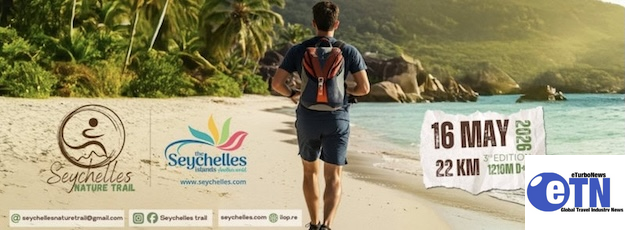
On the lush island of Mahé, where emerald mountains plunge into turquoise waters, the Seychelles Nature Trail is rapidly establishing itself as one of the Indian Ocean’s most exciting trail-running experiences.
Now in its third edition, the event has evolved from an ambitious sporting initiative into an internationally recognized rendezvous for trail runners, adventure seekers, and nature lovers alike. The 2026 edition attracted participants from 14 countries across Europe, Africa, Asia, and the Middle East, all drawn to Seychelles’ rare combination of technical trails and breathtaking scenery.
Seychelles’ Minister for Tourism, Amanda Bernstein, welcomed the overwhelmingly positive feedback from participants and highlighted the event’s growing international appeal.
“I am delighted by the feedback we continue to receive from runners. The Seychelles Nature Trail offers a rare combination of technical challenge and exceptional natural beauty. Participants are leaving with unforgettable memories and are already expressing their desire to return next year. It is inspiring to see runners from around the world discovering Seychelles through this unique adventure,” said Minister Bernstein.

Seychelles Travel – Official Tourism Website of the Seychelles
Be inspired. Experience all that the Seychelles Islands has to offer from our pristine waters, to our exquisite flora and fauna.
Far more than a race, the 22-kilometer course offers an immersive journey through the wild beauty of Seychelles. Runners traverse the dense forests of Morne Seychellois National Park, rugged mountain paths, dramatic granite formations, and spectacular coastal viewpoints before descending into Grand Anse. The route passes through Port Glaud, Cap Ternay, Anse Major, Mare aux Cochons, Cassedent, and Tomassin, delivering over 1,200 meters of elevation gain alongside sweeping views of the Indian Ocean.
International athletes praised both the challenge and the uniqueness of the course. French trail-running icon Sylvaine Cussot, who finished second in the women’s category, described the race as one of the most remarkable trail experiences she has encountered. UK participant Charly Pauly also highlighted the exceptional diversity of terrain and scenery.
Pakistan’s Wiqar Ahmad Nasir successfully defended his title for the second consecutive year, crossing the finish line in 2:11:39. South Africa’s Daniël Classen secured second place in 2:13:00, while Jonathan Quatre claimed third place, becoming the first Seychellois athlete to complete the race.
In the women’s category, South Africa’s Emily Djock claimed victory in 2:55:05, followed by Sylvaine Cussot in 3:02:05 and Seychellois athlete Aisha Radwan in 3:14:05.
What distinguishes the Seychelles Nature Trail is not only the course itself, but the destination experience surrounding it. Unlike many large-scale international races, Seychelles offers participants an intimate connection with nature, culture, and community, where warm Creole hospitality, pristine landscapes, and sustainability remain central to the experience.
The growing popularity of the event also reflects Seychelles’ evolving tourism identity. Long celebrated for its idyllic beaches and luxury resorts, the destination is increasingly gaining recognition for adventure, wellness, and experiential travel. Through the Seychelles Nature Trail, Tourism Seychelles continues to showcase the islands’ exceptional biodiversity and growing potential as a leading nature and sports tourism destination.
As demand for authentic outdoor experiences continues to grow worldwide, the Seychelles Nature Trail is positioning the islands as a rising destination for adventure and wellness tourism, offering participants not just a race, but an unforgettable immersion into nature, culture, and community.
From tropical forest trails to sweeping Indian Ocean vistas, the event continues to showcase Seychelles as a place where adventure meets paradise.