

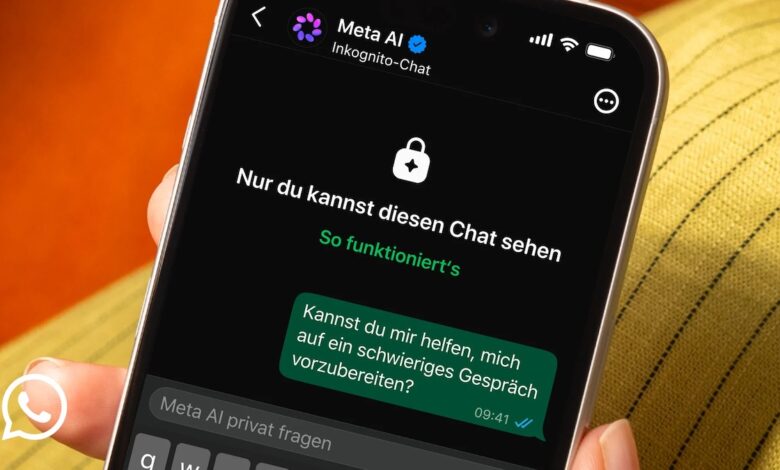
WhatsApp is expanding its AI assistant Meta AI to include an incognito mode. In the future, users will be able to have private chats with the AI, which will be automatically deleted after they leave. We explain how to activate the new mode, what happens to your data and when the function is available.
In recent years, artificial intelligence has developed rapidly from a specialized technology topic to an integral part of many people’s everyday lives. Whether for writing texts or everyday questions – AI systems are increasingly being used in almost all areas of life.
AI assistants are now no longer only available via individual applications, but can also be found integrated into everyday digital services. This is also the case with WhatsApp – the US company Meta integrated its own AI into the messaging service in this country as early as March 2025.
A chat with Meta AI on WhatsApp can be opened using a small blue-purple circle in the lower right corner. In the future, this can also be started in incognito mode. We’ll show you how this works and what impact it has on your conversations with Meta AI.
WhatsApp: What happens to your AI chats in incognito mode
WhatsApp has always had a strong focus on privacy and protecting personal communications. A central element here is end-to-end encryption, which additionally secures messages, calls and sent media.
This means that messages can only be read or listened to by the parties involved. The service itself also has no access to the content of the communication.
In the future, this focus on privacy will also apply to conversations with the AI Meta AI integrated into WhatsApp. In the future, conversations can also be conducted in incognito mode.
When you start an incognito chat with Meta AI, you create a private, temporary conversation that only you can see.
Content is not permanently stored in the chat history or linked to the regular usage profile. The aim is to ensure the highest possible level of confidentiality when using AI and to give users more control over how their input is processed and stored.
Activate incognito chat in WhatsApp for MetaAI: Here’s how to do it in 3 steps
If you want to open an incognito chat with Meta AI on WhatsApp, you can do this directly in the chat with Meta AI. To do this, click on the three dots at the top of the screen or on the Meta AI profile picture and activate the incognito chat option here.
You can then have a normal conversation with the AI assistant. Your messages and prompts are not saved – if you leave the chat, the conversation will be deleted again.
WhatsApp wants to introduce incognito chats with Meta AI in the coming months on WhatsApp and in the Meta AI app. If the function is not yet available to you, you may have to wait for the next update.
In the coming months, WhatsApp also plans to introduce side chats with Meta AI. In addition to conversations on WhatsApp, these are intended to offer you private support such as context for the ongoing conversation.
Also interesting:




