


Publishers must both Author relationships as well as that Reader management control efficiently and digitally. A modern CRM system is indispensable for this. But which CRM is best suited to the specific needs of publishers? In this article you will find out why HubSpot CRM and selected alternatives are particularly suitable for publishers, how you can optimally manage authors and readers and which workflows work in practice.
Why do publishers need a specialized CRM system?
Publishers work with a variety of Authors, readers, partners and Distributors. The Relationship management is complex: manuscript management, contract management, royalty billing, reader communication, newsletters, event invitations and much more. A CRM system helps centralize and automate these processes.
- Author management: A CRM system facilitates comprehensive Managing relationships with authors. This includes maintaining all relevant contact details, an overview of current and past contractual relationships and the current status of manuscripts and projects. Tasks such as contract extensions, communication regarding deadlines or fee requests can be documented centrally and processed efficiently. The history of collaboration and feedback processes can also be traced transparently.
- Reader management: The readership can use a CRM system can be segmented in a targeted manner, for example according to reading interests, engagement level or participation in events. This makes it possible to specifically address different target groups through personalized newsletters or exclusive event invitations. In addition, reader interactions – such as book purchases, registrations for readings or feedback – can be collected and evaluated centrally.
- Marketing automation: A CRM system supports this Planning and executing automated marketing activities. These include, for example, personalized campaigns for new book releases, invitations to book tours or campaigns for special target groups. The sending of newsletters, reminder emails or social media campaigns can be automated and individually controlled based on existing contact details and interest profiles.
- Reporting: The CRM system offers integrated evaluations and dashboards Always up-to-date insights into important key figures. Publishers can, for example, create reports on the sales success of individual titles, the effectiveness of campaigns or the growth of the community. The analysis of engagement metrics, responses to newsletter campaigns and the evaluation of reader loyalty are also possible in order to make strategic decisions based on data.
What requirements do publishers have for a CRM?
Publishers need a CRM that flexible, GDPR compliant and is easy to integrate. Particularly important are:
- Contact management: Manage authors, agencies, readers, booksellers and media contacts centrally
- Segmentation: Filter target groups by genres, interests or purchasing behavior
- Automation: Automate recurring tasks like invitations, reminders and follow-ups
- Integration: Connection to newsletter tools, event software, shops and accounting programs
- Data protection: GDPR compliance and storage in European data centers
HubSpot CRM for Publishers: Key Features
The CRM from HubSpot offers numerous functions specifically for Publishers and whose requirements are relevant:
- Contact and deal management: Manage authors, readers and projects clearly
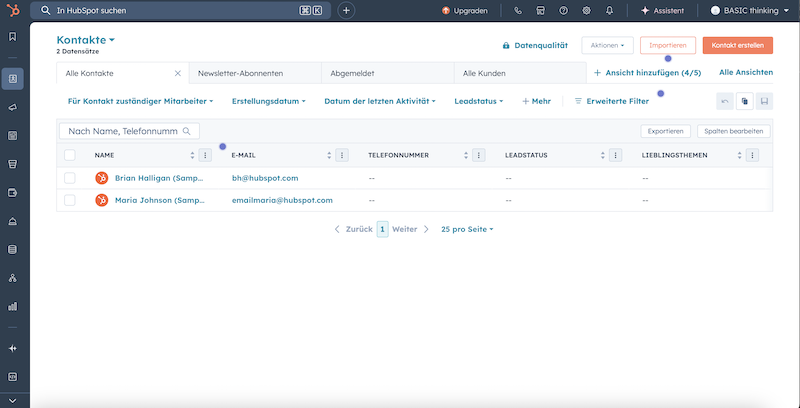
With HubSpot, all contacts can be imported clearly - Pipeline tracking: Show manuscripts, book projects and publications as deals
- Marketing automation: Automated email campaigns, newsletters and event invitations
- Ticket system: Process reader inquiries, author support and community feedback in a structured manner
- Reports and Dashboards: Evaluations of sales figures, engagement and marketing success
- GDPR tools: Consent management, double opt-in and data deletion at the touch of a button

Comparison: HubSpot CRM vs. alternatives for publishers
| function | HubSpot CRM | Zoho CRM | Salesforce | Pipedrive |
|---|---|---|---|---|
| Author management | Individual fields and workflows from the starter tariff | Custom fields, automation | Very flexible, complex setup | Simple, less specialized |
| Reader segmentation | Smart lists, interest tagging | Segmentation, email integration | Complex, many options | Basic functions available |
| Marketing automation | Integrated, drag & drop | Additional module, solid | Very extensive, expensive | Limited |
| GDPR tools | Yes, German and EU data centers from the starter tariff | Yes, EU options | Yes, complex | Partially |
| Price-performance | Very good, many functions for free | Cheap, lots of modules | Expensive, for large publishers | Good for small teams |
Practical relevance: Typical workflows in everyday publishing with HubSpot
- Author onboarding: Automated welcome emails, contract and manuscript upload via forms, status tracking in the deal board
- Reader newsletter: Segmentation by genre, interests or purchase history, personalized newsletter campaigns with A/B testing
- Event management: Send invitations to readings, webinars or trade fairs automatically, lists of participants and follow-ups in the CRM
- Review management: Automated request to bloggers and media, tracking reviews and publications
- Community support: Centrally control reader inquiries as tickets, feedback and support processes
This is how a CRM system can be successfully introduced in the publishing house
The Introduction of a CRM system How HubSpot in a publishing house is more than just a technical project – it permanently changes working methods, processes and internal communication. In order for the transition to be successful and the full potential to be exploited, publishers should do some Best practices observe.
- Involve stakeholders early on: Involve all relevant departments – from proofreading to sales to marketing – in the selection and introduction phase. This way you ensure that the CRM covers the needs of all teams and ensures acceptance.
- Ensuring data quality: Clean up and structure existing contact data before importing it into the new system. This is the only way you can benefit from clean segmentation, targeted campaigns and automated workflows from the starter tariff.
- Training and onboarding: Invest in practical training for your team. HubSpot offers an extensive Academy with free courses that are specifically tailored to beginners and advanced users. This reduces uncertainty and promotes its use in everyday life.
- Standardize processes: Define clear workflows for recurring tasks such as author onboarding, sending newsletters or event management. With HubSpot you can create and automate these processes as templates, which significantly increases efficiency.
- Measuring and optimizing success: Use the integrated dashboards to regularly analyze key figures such as open rates, engagement or sales figures. This way you can quickly see which measures are working and where there is a need for optimization.
- Establish a feedback culture: Obtain regular feedback from authors, readers and employees. With HubSpot’s feedback tools, you can create surveys and evaluate the results directly in the CRM. This way you can continuously develop your offer.
With these Best practices The introduction of a CRM system in the publishing house will not only be a technical success, but will also create the basis for sustainable growth, better relationships with authors and stronger reader loyalty.
Step-by-step instructions: How to get started as a publisher with HubSpot CRM
The introduction of HubSpot CRM is uncomplicated and can be done in just a few steps. This is how you get started:
- Create a free HubSpot account: Go to the HubSpot website and register your publishing team. The basic version is free and already offers many functions to get you started. Functions such as automation and workflows are included in the starter tariff.
- Import contacts: Upload your existing author, reader and partner data as a CSV file. HubSpot automatically recognizes fields and makes assignment easier.
- Create custom properties: Create individual fields for author status, genres, contract details or reader interests. This way you can display all important information in a structured manner.
- Set up workflows: Automate welcome emails, manuscript submission reminders, or event invitations. Use the drag & drop function for simple automations.
- Create segments and lists: Divide your contacts into target groups – for example by genre, purchasing behavior or engagement. This is how you can send personalized campaigns.
- Use marketing and event tools: Start with newsletters, event invitations or surveys directly from HubSpot. All activities are automatically documented.
- Check GDPR settings: Activate double opt-in and consent management to communicate in a legally secure manner.
Advantages and disadvantages of HubSpot CRM for publishers
| Advantages | Disadvantages |
|---|---|
|
|
Typical use cases for publishers with HubSpot CRM
- Manuscript management: Status tracking from submission to publication
- Fee billing: Automated reminders and document filing
- Reader loyalty: Personalized recommendations and promotions
- Community building: Reader groups, forums and feedback management
- Event and trade fair management: Participant management and tracking
FAQ: CRM system for publishers – the most important questions
Is HubSpot CRM GDPR compliant for publishers?
Yes, HubSpot offers hosting in European data centers and extensive GDPR tools such as consent management and data deletion.
Can authors and readers be segmented individually?
Yes, with HubSpot CRM you can create and automatically use any segments based on genre, interests, status or engagement.
Which integrations are particularly important for publishers?
Interfaces to newsletter tools, event software, shop systems and accounting programs are important. HubSpot offers numerous integrations and an open API.
Are there specific templates for publishers in HubSpot?
Yes, many workflows and fields can be customized. There are templates for email campaigns, events, and author communications.
How quickly can a publisher get started with HubSpot?
The setup usually only takes a few hours. Many publishers are ready to go after 1-2 days and can immediately use contacts, workflows and campaigns.
Conclusion: Which CRM system is best for publishers?
HubSpot is for most Publishers the ideal solution to Authors and reader to manage efficiently, automate marketing and work in compliance with GDPR. The platform can be flexibly adapted, offers many functions free of charge and grows with the publisher’s requirements. For very large companies with individual processes, an enterprise CRM like Salesforce can make sense. However, HubSpot is the clear favorite for small and medium-sized publishers.