Almost four weeks ago, Apple released the system updates to version 26.3 for the general public. In the last few days, access statistics have already indicated that the next update is already on the way, as 26.3.1 left clear traces there. There are two reasons for the updates, namely bug fixes on the one hand, but also support for new hardware on the other.
 This is Apple’s normal procedure, as updated hardware is almost always accompanied by a new system version. In the current case these are the iPhone 17e, the new M5 Macs, the MacBook Neo and the two Studio Displays. There was no beta phase for 26.3.1 apart from the current testing of 26.4, which is almost never the case with small version jumps anyway.
Improvements: Hardware support
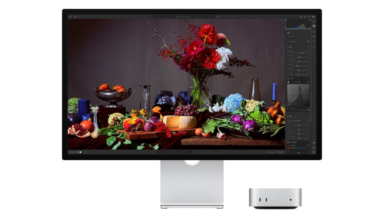
In the official update description, Apple is once again keeping a low profile and promises general performance and stability improvements as well as bug fixes. However, in the case of macOS 26.3.1 Tahoe and iPadOS 26.3.1 there is one specific point: Apple mentions support for the Studio Display and the Studio Display XDR. By the way, Apple is also providing a firmware update for the two monitors, but this is hardly relevant to anyone at the moment – delivery won’t start for another week.
The accompanying support document, in which Apple documents the security-relevant bug fixes and explains their possible impact, has not yet been updated. This often takes hours after an update, especially with the German-language version.
Download and install
As always, the new system version is available via the system software update. If you don’t see any information yet, the connected server has not updated itself – which should usually be the case after an hour at the latest. Anyone currently setting up a new iPhone can choose between iOS 26.3.1, iOS 26.3 and iOS 26.2.1. iOS 26.2, however, has not been signed since the beginning of February.