


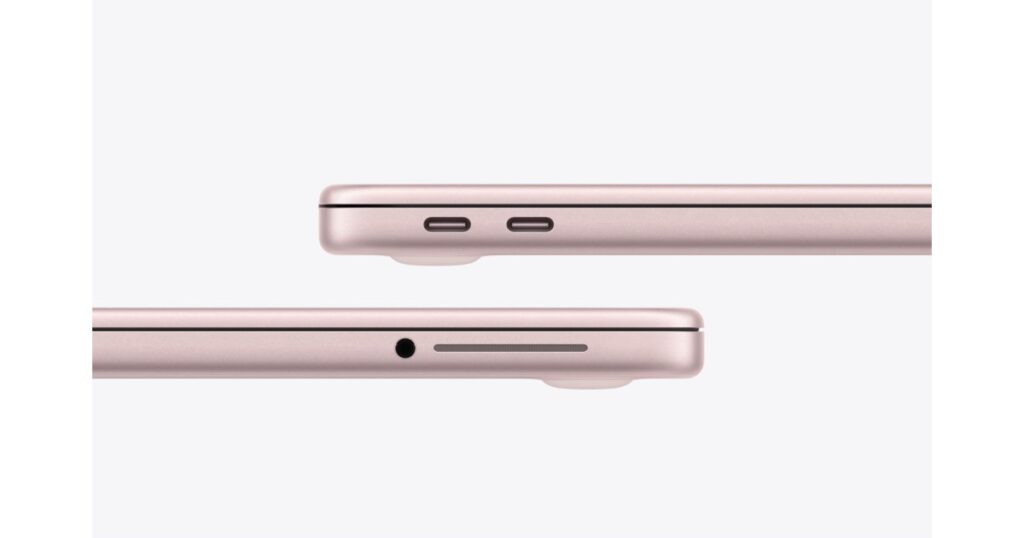


First bottleneck: Only one USB port is suitable for external monitors
As is well known, Apple provides the MacBook Neo with two USB-C ports, but the front one is only compatible with USB 2. In order to connect a screen to the laptop, the connection must be made to the rear port (see here). In order to use additional screens, the editorial team had to dig into their bag of tricks – and use some adapters. The image was output to a monitor via its HDMI connection. Furthermore, another adapter could be connected to the dongle via its USB-A port, which established the connection to a VGA monitor. To get around the limitations of the SoC, Golem came up with another idea: a USB-A adapter from Dell spat out the image on an external monitor and the aforementioned VGA tube screen.
DisplayLink and SideCar expand the possibilities
Sidecar is suitable for the third screen: Mac users can include an iPad as long as two-factor authentication is set up and the computer and the tablet are linked to the same Apple account. When the editors wanted to use the three screens, they encountered a problem with the communication between the DisplayLink adapter and the MacBook Neo. The resolution had to be reduced to 800 x 600 pixels. The refresh rate of 90 Hertz also turned out to be too high: only at 75 Hertz did playback occur without complications.
Up to four external screens in use at the same time
That’s not all: The Matrox Dualhead2Go should expand the setup. The graphics adapter is connected via DisplayPort; Its own software identifies it as a 4K monitor. It could be connected to the Dell D6000 docking station. The VGA monitor was still plugged into the USB-A adapter, which in turn led to the dock. Golem managed to connect three external screens via the USB 3 port of the MacBook Neo – an iPad Air M1 acted as the fourth display via Sidecar.


The editorial team sees the setup as an experiment that fails in practice due to its susceptibility to errors: the resolution of the displays had to be significantly reduced, and touching one of the cables could cause the monitors to fail.

In everyday life, an external monitor and, if necessary, an iPad connected via a sidecar should be sufficient for most users, is the final conclusion.