
 Mac developers have immortalized themselves in their works in different ways over the decades. The foundation was probably laid by the signatures of the original Macintosh team on the inside of the case. The names of the developers also occasionally appeared in the operating system and in apps – more or less well hidden. Although the company management stopped this practice, over the years some jokes for those in the know, features or tributes appeared. The term “Easter Eggs” became established – because you sometimes had to look for them for a long time.
 Historical: Breakout clone with developer name
In System 7.5 you had to select the text “secret about box” in an editor (e.g. Simple Text) and drag it onto the desk so that the Easter egg appeared: a window with the developer name highlighted in color, which turned out to be an interactive game. The mouse cursor controlled a bat with which the user repeatedly sent a ball towards the list of names. Little by little, the wall of names was decimated – just like with the Atari classic. This can still be experienced today in Infinitemac’s browser emulator.

Currently in macOS
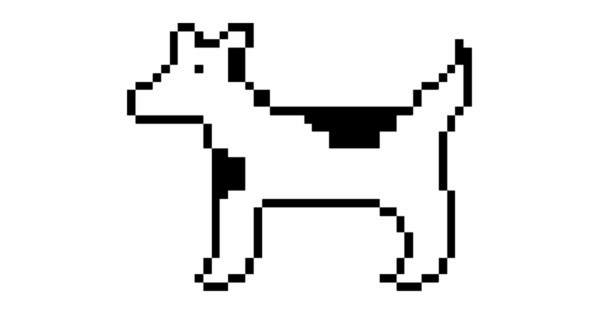
There are currently hardly any (known) Easter eggs in macOS. Howard Oakley lists some examples that he was able to find. If you enter “Clarus” or “moof” in the search field of the emoji palette, two results appear: dog and cow – a reminiscence of the pixel symbol designed by Susan Kare in 1983, which was intended to help with the orientation of printed pages. However, an actual hybrid creature between a cow and a dog does not appear here.

If you search for Clarus or moof in the emoji palette, two results appear: dog and cow.
Hemp leaf in chess app?
Oakley also discovered an image called borders.png with five-fingered leaves, which is hidden within the chess app under Contents/Resources/Styles/Grass. This seemed strange to him since chess only offers three styles. But in previous versions of the board game simulation there was the “Grass” style – and the texture was used. In addition, the foliage shown only vaguely resembles hemp: the pinnate leaves lack the sawtooth edge. Maybe it’s monk’s weed, a close relative whose leaves remain untoothed.

The chess app under macOS 13 (Ventura) still offered the “Grass” setting for a green playing field.
More subtle (and rarer) today
Hardly any Easter eggs are discovered in current versions. The most recent example comes from the iPad app: The magnifying glass icon in the file open view of the mobile preview can be moved with your finger and actually enlarges the content underneath.

The magnifying glass in the Open dialog of the iPad version of Preview shows dynamic zoom effects.