

Advertising: This article was created in friendly collaboration with Apple.
I have something to confess to you. For years I was what is affectionately known in tech circles as a “can user”. Windows through and through. For me, a PC was a work tool that had to work. Sometimes he did, sometimes he didn’t. Then I cursed, unplugged, rebooted and carried on. A MacBook? Didn’t come into my house. Far too expensive, far too complicated, and anyway: I’m a fashion blogger, not a graphic designer who edits videos all day. OK…. That’s not entirely true, because I’m constantly editing videos on my iPhone. A Max because it has a larger display. But why do I need an apple on the lid now?
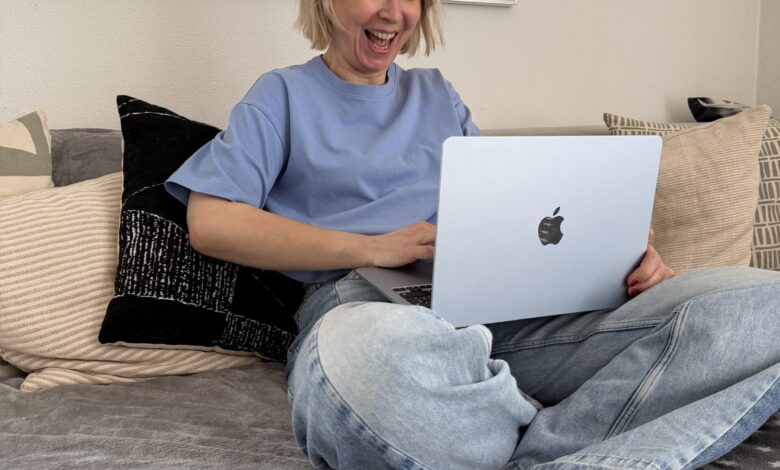
Well, what can I say. A 13″ MacBook Air with an M4 chip in the beautiful color Sky Blue has been sitting on my desk since November 2025. And I seriously wonder why I resisted this change for so long. So here it is: my completely non-technical but completely honest MacBook Air experience report from the perspective of a woman who just wants to use her laptop.

My life as a convinced can user
Don’t get me wrong, I had come to terms with Windows. We had a marriage of convenience. I knew where my files were (most of the time), I knew how to get my photos from my phone to my computer (with a cable, a lot of patience and occasional error messages), and I had gotten used to the quiet but steady whirring of the fan.
But honestly? It was often a struggle. Especially when things had to happen quickly. When I had an idea for a blog post, was sitting on the sofa and just wanted to quickly edit a photo. The thought of starting up the heavy laptop, looking for the cable and hoping that a major system update isn’t due at that exact moment has nipped many an idea in the bud.

The big skepticism: Is Apple really that complicated?
My biggest prejudice against Apple has always been its supposed complexity for those switching to Apple. I thought, “If I switch now, I’ll have to relearn everything. I can’t find my files again, the keyboard is different, and how the hell does this operating system work?”
I was literally afraid that my usual processes would suddenly stop working. That I sit in front of the screen for hours and have to google how to copy a simple text. Spoiler alert: I was worried for absolutely nothing.

The change: Unpack, unfold, get started
When the MacBook Air arrived, I was initially impressed by its appearance. This Sky Blue is truly a dream. And it’s incredibly thin – just 11.5 millimeters. But looks aren’t everything. So I opened it.
And then – nothing bad happened. The setup assistant basically took me by the hand. He asked me if I wanted to transfer data from my old Windows PC. I clicked “Yes,” followed the simple instructions, and soon everything was where it was supposed to be. No cryptic error messages, no frustration. It just worked.
The keyboard is a dream, typing is so comfortable and quiet that sometimes I don’t even notice how quickly the pages fill up. And Touch ID! I no longer have to type in passwords. Finger on it, laptop unlocked. This may sound like a small thing, but it is an incredible increase in comfort in everyday life.

My highlight: When iPhone and MacBook suddenly become best friends
But now comes the real game changer, the reason why I really love this device. I’ve had an iPhone for ages. I had hoped that the two devices would get along well. But the fact that they communicate telepathically blew me away.
Do you remember my cable chaos when transferring photos? This is history. Because the two devices are synchronized. The photos, i.e. the tons of photos that I take all day long, are simply available on the MacBook. They’re just there, nothing has to be transferred, no cable, no same thing ;). For me it’s a bit of magic, although of course I know that there are zeros and ones responsible for it.
Or Handoff: I start writing an email on my iPhone while waiting for the bus. At home I open the MacBook and the mail symbol is already smiling at me. I click on it and continue writing exactly where I left off.
And my absolute favorite: the general clipboard. I copy a link or text on the MacBook and paste it into an Instagram story on the iPhone. Just like that. This makes my blogging life so much easier. iCloud syncs my notes, my photos, my calendars. I no longer have to search, I no longer have to reconcile anything manually. It’s a perfect match.

Perfect for on the go: My mobile office
My laptop used to be a stationary piece of furniture. It stood on the desk and was only moved in absolute emergencies. The MacBook Air feels like it weighs nothing. I take it with me to the café, I write on the sofa, I even took it into the garden recently.
The best part? I don’t need to take a charging cable with me. The battery life is so absurdly good that I initially thought the display was broken. I can work all day, edit photos, write blog posts, and in the evening I still have enough battery left to relax and watch a series. And all of this is completely silent, because the thing doesn’t have a fan.
My conclusion: Was the change worth it?
I’ll tell it like it is: I’m annoyed that I didn’t make the switch sooner. The MacBook Air with the M4 chip is a workhorse in designer clothing. It’s fast, it’s easy, and it looks damn good while doing it.
For everyone who, like me, stuck with Windows for years because they thought the switch was too difficult: take heart. It’s not a step back into immaturity, it’s a massive gain in quality of life. When the phone communicates so easily with the laptop, there is simply more time for the important things. For new outfit ideas, for a coffee in the sun or just for doing nothing.
And now you! Are you Team Windows or Team Apple? Have you ever avoided changing your system? Have a nice Sunday,
your Connie
Details – Advertising
MacBook: Apple MacBook Air 13” (M4 Chip) in Sky Blue (Werbung)
Smartphone: Apple iPhone (Werbung)
Current
consequence of breakthrough
The podcast for women over forty