

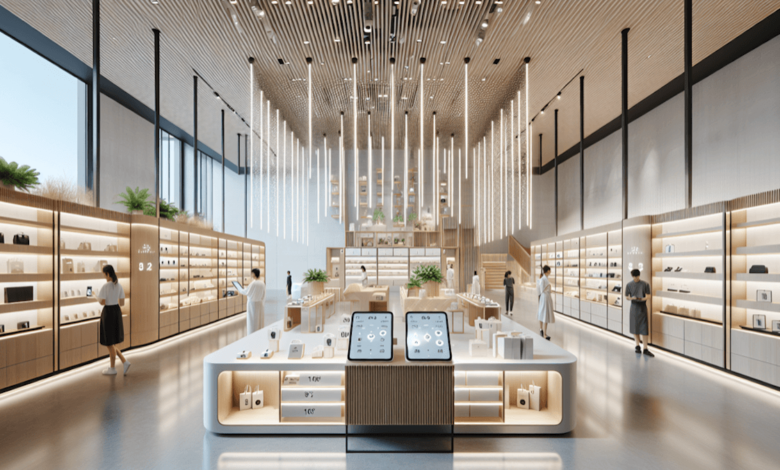
Stationary retail is facing change. Today, customers expect more than just stocked shelves – they want experiences that blend online and offline. A well-thought-out digital store design combines classic sales areas with modern technologies and thus creates unforgettable shopping moments. But where does the planning begin? Which elements are essential and which are optional? This checklist provides retailers with a structured roadmap to make their store fit for the future.
From interactive displays to smart lighting to the integration of mobile services: the following sections show step by step how to create a digital store that delights customers and increases sales. It’s not about using technology at any price – it’s about combining analog and digital elements in such a way that a harmonious overall concept is created.
TL;DR – The most important things in brief
- Digital store design combines physical sales spaces with interactive technologies for better customer experiences
- Planning begins with an analysis of the target group and their digital affinity
- Core elements include digital signage, mobile integration and smart product presentation
- Hardware and software must be coordinated and scalable
- ROI can be tracked through measurable KPIs such as dwell time and conversion rate
Understand the basics of digital store design
Digital transformation in retail means much more than setting up a touchscreen. It requires a holistic concept that combines technology, design and customer psychology.
What defines digital customer experience in retail
Digital customer experience describes all points of contact between the customer and technology in the store. This includes interactive product information, personalized offers on smartphones and self-service terminals. The difference to classic store design lies in the networking: all elements communicate with each other and collect data that improves the shopping experience. A digital store thinks from the customer perspective and uses technology as a tool, not an end in itself.
Target group analysis as a starting point
Not every customer group expects the same digital services. While younger target groups use QR codes and apps intuitively, other age groups may prefer classic advice with digital support. A thorough analysis shows which technologies actually offer added value.
| Target group | Preferred digital touchpoints | Recommended technologies |
|---|---|---|
| Gen Z | Social media integration, AR | Interactive mirrors, app features |
| Millennials | Mobile payment, personalization | Loyalty apps, digital signage |
| Gen X | Product information, comparisons | Info terminals, QR codes |
| Baby Boomers | Easy to use, assistance | Large displays, voice control |
Plan technical infrastructure
Without a stable technical basis, every digital concept fails. The infrastructure forms the foundation for all further measures.
Ensure network and connectivity
A high-performance WiFi network is essential. It not only has to supply customer smartphones, but also connect all digital store systems. The bandwidth should be designed for peak times. Additionally, many modern systems require a stable internet connection for cloud services and real-time updates. A QI charging station at strategic points allows customers to charge their devices and increases dwell time.
Select hardware components
The selection of hardware depends on the concept and budget. The following components are often used:
- Digital signage displays for dynamic advertising and information
- Interactive touchscreens for product search and catalogs
- Tablets for mobile advice from employees
- Sensors for visitor counting and heatmaps
- Beacon technology for location-based offers
Connect physical and digital elements
The trick is to integrate technology so that it complements the shopping experience without dominating it. Furniture, materials and digital components must create a harmonious overall picture.
Enhance product presentation with technology
Classic shop furnishings remain important – but they are receiving digital extensions. A wooden sales shelf, for example, can be equipped with integrated screens or sensors that detect which products customers pick up. This combination of natural materials and technology creates an atmosphere that is both modern and inviting.
Create zones for different experiences
A well thought-out zone concept structures the store according to functions. Inspiration zones rely on large visual displays, while consultation areas work with tablets and product configurators. Quiet corners offer the opportunity to linger and continue your digitally charged research.
| Zone | Primary function | Digital elements |
|---|---|---|
| Entrance | Attention, Welcome | Video wall, splash screen |
| inspiration | Discover, browse | Interactive displays, AR stations |
| Advice | Information, comparison | Tablets, configurators |
| Checkout | Graduation, service | Self checkout, mobile payment |
Implementation and measurement of success
After planning comes implementation. A phased approach minimizes risks and allows for adjustments.
Step-by-step introduction recommended
The introduction of digital elements should take place in stages. First, basic technologies such as WLAN and the first displays are installed. After a test phase, more complex systems follow. This approach allows customer feedback to be obtained and the concept to be optimized before major investments are made. The X-Digital strategy of many successful retailers envisages precisely such iterative processes.
Define and track KPIs
Measurable key figures show whether the digital store design is achieving its goals:
- Length of stay per customer (before and after implementation)
- Interaction rate with digital touchpoints
- Conversion rate and average shopping cart
- Customer satisfaction through surveys
- Repurchase rate and loyalty program usage
Digital store design: modern concepts for retail
Technological foundations of digital transformation
The integration of modern technologies fundamentally changes the shopping experience. Retailers are increasingly relying on innovative solutions to appeal to customers and increase sales.
Interactive elements as a success factor
Digital displays and screen systems
Digital store design today includes much more than static advertising boards. Modern LED screens and interactive touchscreens enable dynamic product presentation that can be adjusted in real time. Retailers use this technology to communicate daily offers and create emotional brand experiences. Large-scale video walls attract the attention of passers-by and invite them to linger.
Sensor-based customer interaction
Motion sensors and proximity technologies are revolutionizing the way stores communicate with their visitors. As a customer approaches a specific area, personalized content activates on nearby displays. This form of digital store design creates individual shopping experiences and significantly increases the length of stay. Thermal imaging cameras also analyze walking routes so that operators can continuously optimize their room layout.
The combination of different sensor technologies allows retailers to collect valuable data about customer behavior. These findings are incorporated directly into strategic planning and help to design sales areas more effectively. Intelligent digital store design creates a seamless connection between physical shopping and digital added value that meets modern consumer expectations.
Frequently Asked Questions (FAQ)
How much does a digital store design cost?
The investment costs vary greatly depending on the scope and technologies chosen. Simple digital signage solutions start at a few thousand euros, while comprehensive concepts with interactive elements, sensors and app integration require significantly higher budgets. A phased implementation spreads the costs and reduces the financial risk.
Which technologies have the greatest impact on the customer experience?
Studies show that interactive product information and mobile payment have the greatest positive effect on customer satisfaction. Customers appreciate being able to access information independently and pay quickly. Personalized offers based on purchase history are also perceived positively, provided data protection is guaranteed.
How can employees be trained for digital systems?
Successful implementation requires extensive employee training. These should not only cover technical operation, but also convey added value for customers. Regular refreshers and an internal support system help to reduce inhibitions. Employees who confidently use digital tools transfer this security to customers.




